Building e-commerce tools is difficult when your data source is fragile. If you are developing an affiliate marketing site, a price-tracking application, or a competitor analysis dashboard, you need high-fidelity data from Amazon.
The problem is that trying to scrape Amazon’s product pages manually is a nightmare. The HTML structure changes constantly, high-resolution images are hidden behind complex JavaScript carousels, and aggressive CAPTCHAs will quickly block your IP.
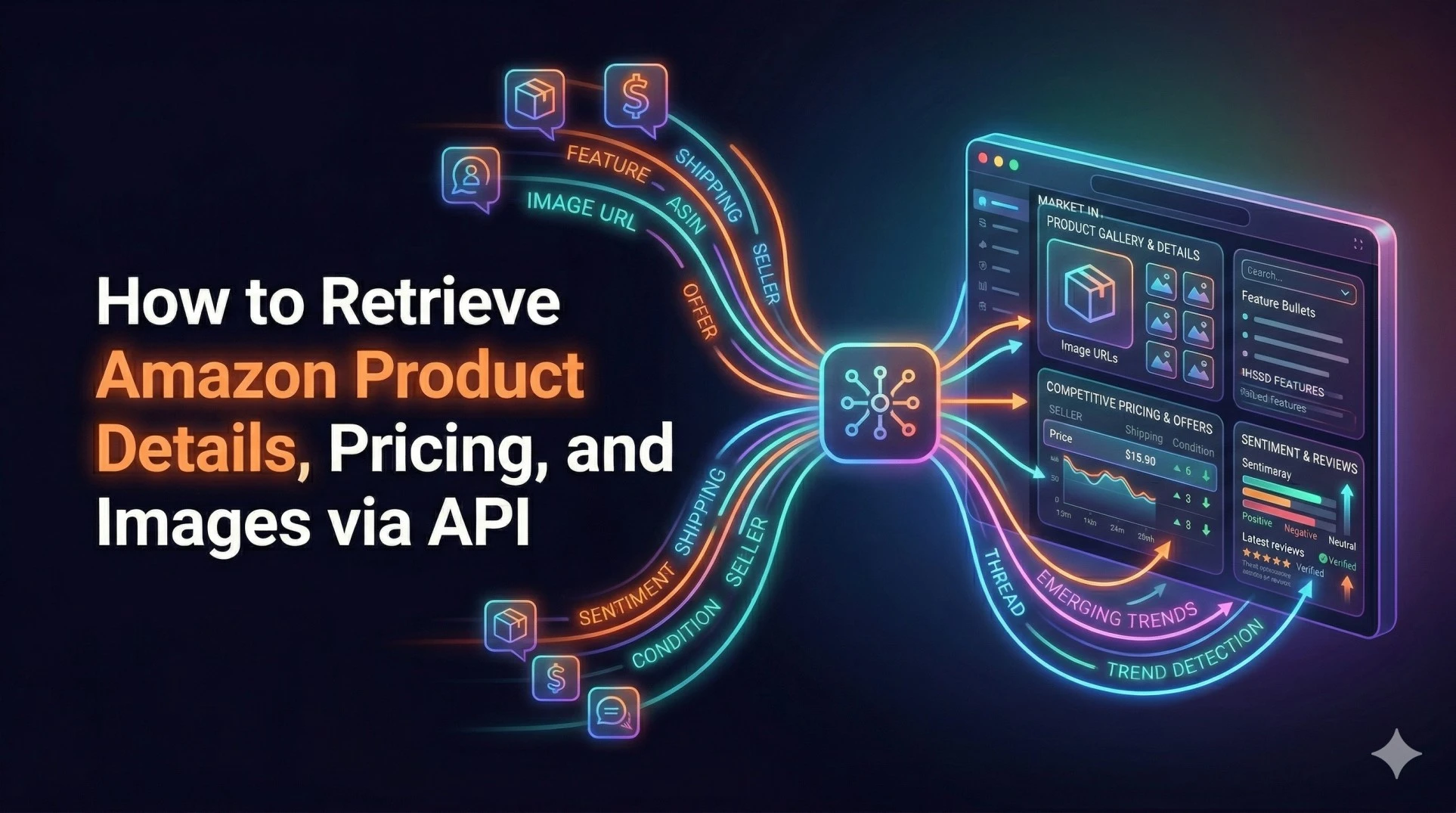
I am going to show you how to bypass the scraping headache and build a backend service that retrieves clean, structured JSON containing exact product details, high-res images, and competitive pricing data using SteadyAPI.
Here is the plan:
-
Extract the core product details (titles, descriptions, and high-resolution images).
-
Retrieve granular pricing data and shipping costs from all active sellers.
-
Pull verified customer reviews to analyze product sentiment.
Let’s get into the code.
Obtain API Key
1. Authentication
To start, you need to authenticate your requests. Grab your Bearer token from the SteadyAPI dashboard and pass it in the authorization header.
Docs:
SteadyAPI Docs: Authenticating Requests
headers = {
  'Authorization': 'Bearer {YOUR_AUTH_KEY}'
}
2. Strategy 1: The Core Product Blueprint (Details & Images)
When a user clicks on a product in your app, you need to display the essential information instantly: the title, the feature bullets, and most importantly, the images.
We will use the Product Details endpoint. You just need the product's ASIN (Amazon Standard Identification Number) to pull the complete blueprint of the listing.
Endpoint:
GET /v1/amazon/products/details
Docs Link:
SteadyAPI Docs: Amazon Product Details
The Code
import requests

url = 'https://api.steadyapi.com/v1/amazon/products/details'
params = {
  'asin': 'B0BNC23L6C', # The target product ASIN
  'country': 'US'       # The target marketplace
}

response = requests.get(url, headers=headers, params=params)
data = response.json().get('body', {})

print(f"Title: {data.get('title')}")
print(f"Brand: {data.get('brand')}")
print(f"Base Price: {data.get('price')}")

# Extracting high-resolution images
print("\nHigh-Res Images:")
for image_url in data.get('images', [])[:3]:
    print(image_url)

# Extracting feature bullets
print("\nProduct Features:")
for feature in data.get('feature_bullets', [])[:2]:
    print(f"- {feature}")
Key Fields to Parse:
-
images→ An array of the product's image URLs (crucial for building product galleries). -
feature_bullets→ The primary selling points listed by the seller. -
variants→ Allows you to see different sizes or colors available for the same base ASIN.
3. Strategy 2: Competitive Market Intelligence (Pricing & Sellers)
The "Base Price" from the details endpoint is helpful, but it doesn't tell the whole story. To build a true price-tracking tool or repricer, you need to know who is selling the product, what condition it is in, and what the shipping fees are.
We use the Offers endpoint to see the full list of competitors fighting for the Buy Box.
Endpoint:
GET /v1/amazon/products/offers
Docs Link:
SteadyAPI Docs: Amazon Product Offers
The Code
url = 'https://api.steadyapi.com/v1/amazon/products/offers'
params = {
  'asin': 'B0BNC23L6C',
  'country': 'US'
}

response = requests.get(url, headers=headers, params=params)
offers = response.json().get('body', [])

for offer in offers:
    seller_name = offer.get('seller')
    price = offer.get('product_price')
    shipping = offer.get('delivery_price', 'Free')
    condition = offer.get('product_condition')

    print(f"Seller: {seller_name}")
    print(f"Condition: {condition}")
    print(f"Price: {price} | Shipping: {shipping}")
    print("-" * 30)
Why This Matters:
If you are tracking prices, the true cost to the consumer is the product_price plus the delivery_price. Monitoring this endpoint allows you to alert users when a specific seller drops their price or when a used version of the item becomes available at a steep discount.
4. Strategy 3: Consumer Validation (Reviews & Sentiment)
A product might look great and be priced well, but if the recent reviews mention a consistent manufacturing defect, your users need to know. Pulling review data allows you to display social proof or run your own sentiment analysis.
Endpoint:
GET /v1/amazon/products/reviews
Docs Link:
SteadyAPI Docs: Amazon Product Reviews
The Code
url = 'https://api.steadyapi.com/v1/amazon/products/reviews'
params = {
  'asin': 'B0BNC23L6C',
  'country': 'US',
  'sort_by': 'recent' # 'helpful' or 'recent'
}

response = requests.get(url, headers=headers, params=params)
reviews = response.json().get('body', [])

for review in reviews[:3]:
    print(f"Rating: {review.get('rating')}/5")
    print(f"Title: {review.get('review_title')}")
    print(f"Verified Purchase: {review.get('is_verified')}")
    print(f"Comment: {review.get('review_text')[:100]}...")
    print("---")
Key Fields:
-
rating→ The quantitative score. -
review_text→ The qualitative feedback for NLP analysis. -
is_verified→ Filters out potentially fake or unverified feedback.
Putting It All Together
If you are building an e-commerce dashboard, your backend workflow is now incredibly streamlined:
-
The user inputs an ASIN or Amazon link.
-
Call
/amazon/products/detailsto immediately render the title, description, and high-res image gallery. -
Call
/amazon/products/offersasynchronously to populate a "Compare Prices" table. -
Call
/amazon/products/reviewsto display the latest customer sentiment.
Final Thoughts
Stop relying on unpredictable web scraping scripts to maintain your e-commerce data. By using the SteadyAPI endpoints, you transform a fragile, maintenance-heavy task into three simple, structured API calls. This allows you to focus on building features and analyzing data, rather than constantly fixing broken CSS selectors.
Explore the complete technical documentation here: